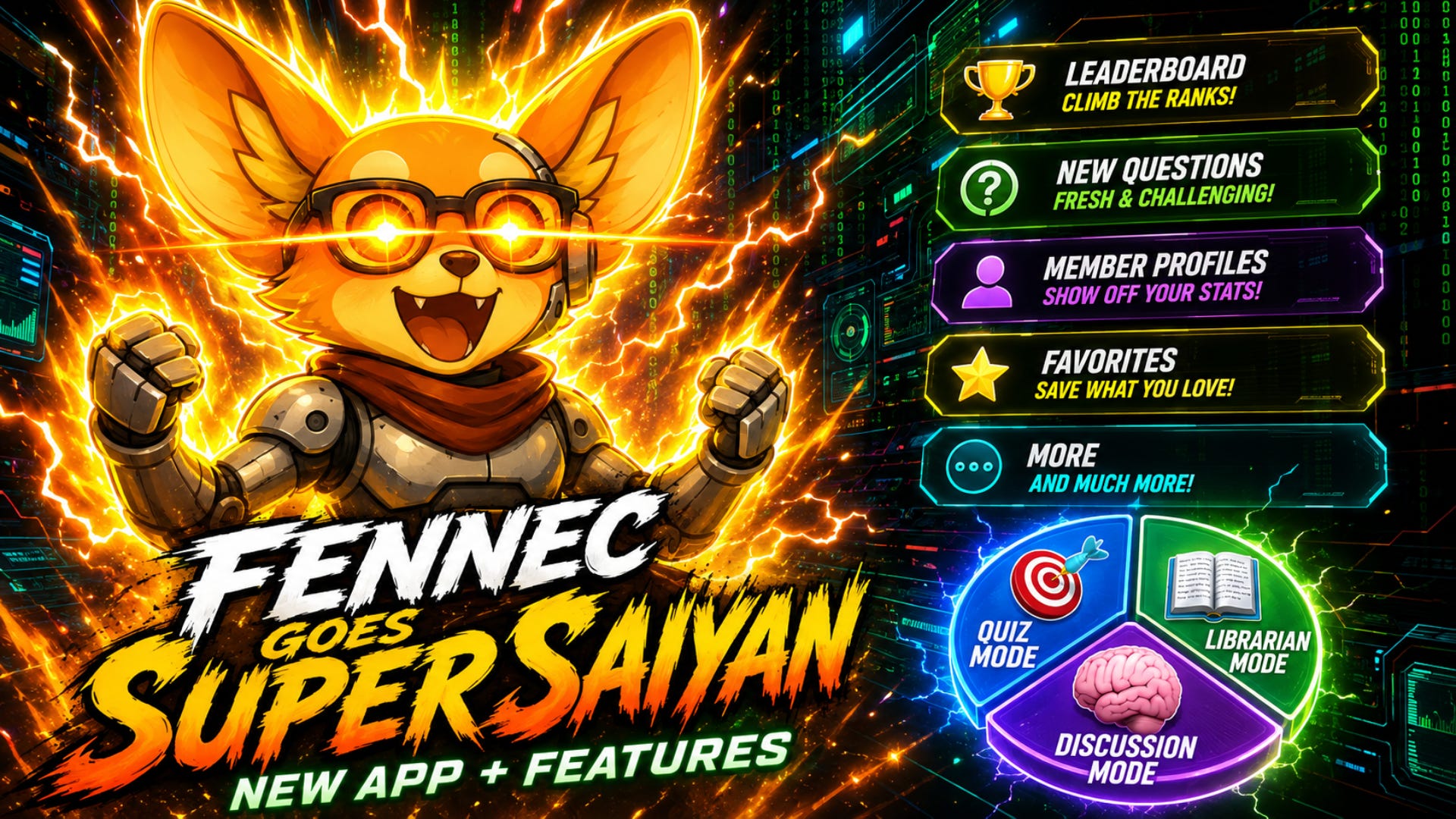
F.E.N.N.E.C. Goes Super Saiyan (New App + Features)
I released FENNEC around February of this year, and since then it has been quite an adventure. Today I am excited to announce the next phase of that adventure as FENNEC is now an app with some amazing new features that I hope you will enjoy and will help you in your own journey with God’s word.
QUALITY OF LIFE CHANGES
DISPLAY MODE -- You can now pick dark or light mode for the display color of the chat and change it whenever you want by simply clicking the “Mode” button.
STICKY SCROLL -- Because FENNEC is now his own app, I can control how everything is displayed, which I couldn’t do before. So I have changed the display of the text to “stream” rather than waiting for the entire thing to be blurted out in one go. In the past, this was done because Voiceflow, the platform where FENNEC lives, didn’t have the functionality in their widget to allow streaming without shifting focus/scrolling down automatically, which of course was super annoying because an answer would stream and if you were trying to read anything above, it would shift your focus constantly. That’s been changed now and FENNEC will stream his answers, and you can also read without being dragged down if the answer continues. There is now a “New messages” bubble that pops up when something new is printed and your focus was NOT at the ground level. In other words, you can type something into the chat bar while you are looking at a previous answer, and FENNEC will answer and give you the notification, allowing you to read whatever you were reading without being distracted and re-focused. The bubble also appears when you scroll up regardless, but if there’s nothing new it will just say “Back to bottom” so that you have a shortcut to getting back to your chat.
TALK TO TEXT -- The old website widget had a dedicated button for speech to text (you talking a question or prompt out), however this was not really necessary as practically all phones today have a microphone button on keyboard displays which you can press and convert your speech into typed text. The only exception is if you wanted to talk to text while at your desktop, however this use case is rare so I did not build around it. If it’s the case that this feature is a must-need, then I will take a look at implementing it.
SESSION MEMORY -- FENNEC will now remember your session and position (whatever you were doing last) and print for you a “Open extended chat history...” refresher, with the last few chats you did before. So for example, if you take a break for a day or two, or shut your computer down, and come back, you can pick up right where you left off. This was an issue before because of the way the widget worked, as the chat would get stale after a certain time. Now that shouldn’t be the case anymore as it will be pervasive, even if you log out. You also have the option to “open extended chat history” when you start FENNEC up, and he will load up the previous 20 or something turns saved to memory. Anything beyond that is not available, so make sure you use the save favorites function if you want to keep important answers from getting buried in your history. Important reminder that progress like quiz or discussion mode scores is guaranteed to be preserved, whereas anything beyond 25 turns (messages from FENNEC) may not be saved to memory. It also seems to be the case that if you are idle (no use) for more than 30 days, your session will get reset, but there are fallbacks in place to at least preserve your progress.
SHORTCUT -- You can now download a shortcut to your desktop or phone to load FENNEC up immediately. It is available in your member profile.
FONT SIZE -- In your profile you can increase the display font by 10% increments up to 30%. This is especially valuable on mobile.
STATUS PAGE -- You now have a dedicated Status page that lets you know if there is an outage affecting FENNEC in any way, with a green or yellow indicator and a blurb at the bottom of the chat bar always, so that you are not surprised. Generally speaking, these issues are rare but when they do happen they largely affect Librarian, because Librarian relies 100% on the Knowledge Base (KB), so use Discussion and Quiz Mode in the meantime if there is an outage. Either way you will know from now on because we are connected to the live update feed.
LINKS PAGE -- There is a useful links page as a tab, where you can find links to all the main pages (Bible Studies, Health, Encouragement, Chat, Shop, etc.) as well as the recent posts so you can stay connected.
TUTORIAL -- There is now a pop-up tutorial when you first log in to FENNEC that will take you through the various tabs and features, and you can always replay it in your user profile.
FOREIGN LANGUAGE SUPPORT -- In the user profile you can select the language you want the app and FENNEC to interact in, out of 27 possible languages. This feature has not been extensively tested but it should be working fine. If you do use it please keep an eye out and let me know how it goes.
NEW FEATURES
FAVORITES -- You can now save any response you get from FENNEC into your “Favorites” tab. They are automatically categorized according to date and mode (Librarian, Quiz or Discussion). Every FENNEC response will have a little star off to the side of his message, which you can click, and then it will prompt you to set the mode it was in, as well as any other custom tags you may want to add (i.e. “salvation” or “cosmology” or “weekly bible study” etc). Then when you want to reference these answers quickly without asking again, you can go to the Favorites tab and search all of your records. You can organize them by date (newest/oldest), search according to primary tag (mode) or search according to your custom tags. Maximum of 10 custom tags allowed to encourage being cleanly and efficient, so use them wisely! All of this allows you to create your own mini-library in FENNEC so that you can pull important material immediately.
MEMBER PROFILES -- In the original design there was no way to have a pervasive username or profile, but now as an app FENNEC has this functionality. Everyone will be required to create a member profile upon initial login, and you have some small customization options like a picture, choosing a username a small blurb about yourself and also location and contact settings. These things are mandatory to fill out a profile, but you have the choice of what you want displayed to others. For location, you can opt to reveal your city and state/province. Country is required for all profiles to be displayed. Contact is on or off, and that’s up to you. If you enable it, a “contact” button will be shown on your profile which, if clicked, someone can email you directly. These features are designed to create a community gathering aspect to FENNEC, as many of you have always asked if you could find fellowship in your area. My intention with these features is to give you the freedom to meet other people (without turning FENNEC into Facebook) while also building a safety net through social proof (achievements, more below) and the option to opt out. However I think overall it will be a positive thing and you can search the member list any time for people in your general area, as well as check out their individual profiles to see how long they’ve been a member, their achievements, and so on. Member profiles are permanent, unless you choose to delete your profile. If you lapse in subscription, your information is not deleted -- but your access to FENNEC will be suspended until you fix the billing situation. But if you want to delete your profile altogether, that is an option also. But choose wisely, as all progress and favorites, chat history, etc, is deleted.
BIBLE -- You now have God’s word at your fingertips in FENNEC with some additional features. On the “Bible” tab, you can access the Berean Standard Translation (a literal based, ESV-similar work that was copyright free to use) with a layout similar to most bible apps, like e-Sword, with book and chapter selection and a scroll for the verse texts. You can also write notes for any verse and save them as favorites. Lastly, FENNEC now is smart enough to automatically hyperlink bible verses (i.e. John 6:44) when they occur in his responses, whether in a Librarian response, or a Discussion Mode answer, or the commentary of a Quiz answer. You can then click on that link and it will take you immediately to that bible verse in context of the book it’s in, and you can write a note to yourself and save it. This tool is incredibly helpful for supercharging your bible study and referencing, as well as building a robust mini-library in your profile of verses, notes and responses that you can reference on the fly for any occasion.
ACHIEVEMENTS -- FENNEC now has a robust achievement system to reward you for both participation and competition. I will discuss the leaderboard in the next item, but basically participation achievements are milestones that are permanently tagged to your account when you reach them, such as completing a quiz topic or answering X amount of discussion questions, up to 500 (the top milestone). There is also a running total of how many days you have been a member, listed on your profile. This running total stops counting if you lapse in membership, so that way it’s an accurate indicator of activity. Achievements are also earned through the Leaderboard, which will be a seasonal activity and reward prizes to top performers. All of these exist as emoji badges on the member profile and Leaderboard tab.
LEADERBOARD -- FENNEC now has a competitive element through seasonal leaderboards. The “Leaderboard” tab in the app shows you the current leaderboard rankings, when the season ends, and the prizes. 1st-3rd place will all get an emoji achievement badge trophy on their member profile. 1st place in a category also will earn a gift card in the merch store: $20 for winning a normal quiz topic, $60 for winning the Fennec Fox Challenge and $100 for winning Discussion Mode. To qualify for 1st you must have at least 85% pass/fail rate in a quiz topic, and you must also have completed a quiz. Therefore completing the quiz puts you on the leaderboard, but not necessarily in 1st place if your score in that quiz is lower than 85%. Discussion Mode is ranked according to how many questions you actually pass (skipped or failed questions do not get counted toward leaderboard rankings, but failed gets counted toward lifetime tracking which is also visible on the member profile because lifetime considers all questions actually attempted and completed). To qualify for 1st place you need to have passed at least 300 discussion questions, and then from there the list is sorted according to your pass average score. Leaderboard seasons are reset every 6 months, and when they reset you will have to reset any existing quizzes or discussion progress in order to enter again. For discussion mode, this can vary, because there are so many questions. So, say you only answer 50 questions in Season 1, but then Season 2 starts and you want to try your hand at it. In that case you don’t really need to do a reset, because you still have most of the question pool available and every passed new question gets indexed in your leaderboard ranking. And once you hit the minimum 300, you qualify for 1st place (assuming nobody is ahead of you). If the leaderboard season ends and there are multiple people with the same scores, then they will all receive 1st place awards, but this should be rare as the scoring is the tie-breaker.
QUIZ MODE -- Quiz mode has had several improvements and re-alignments to get it ready for leaderboard seasons. In fact there were some problems I discovered with it that had to get fixed, like the counter not accurately tracking what questions you’ve answered and serving you new ones, eventually exhausting the pool. All of that has been changed and now counting works correctly. I have also added some questions to the Miscellaneous quiz, in relationship to some of the discussed topics in 2026 (like my presentation on Mary or Tithing), and also the Current Events quiz. See if you can find those new questions next time you jump in :) Regarding other changes, there have been some display changes to better keep track of what quizzes you have completed and what quizzes you have yet to complete. You will see a green check mark ✅ next to the topic that has been complete with a quick reminder of your correct out of the total, and you still have the robust stats via the “score” command at the end of a turn. The system will also know how many and what tests you have completed, and if you try to run them again it will remind you, offer you other tests or give you the option to reset your score. Resetting erases your progress and sends you back into the quiz. Fennec Fox Challenge has also been weaved into the normal quiz experience (they are still two different difficulty levels) -- but the overall flow to go between these tests has been greatly improved. All of this is designed to help you compete on the leaderboard spots seasonally, so you can try for a better score and not be locked into one performance or another. So, with that Quiz Mode is now a very dynamic and fun element where you can have some friendly competition with other Fennec Foxes for some cool rewards.
BONUS QUIZZES -- Many quizzes have been added to. The Afterlife, Cosmology, Current Events, End Times and Miscellaneous topics were boosted with 160 new questions total. For the current events and miscellaneous topics, the questions relate to things like American history, recent events, politics, or other topics like tithing, Mary or Catholicism. For end times, I added questions that focus on the errors of preterism, Christian nationalism (post-millennialism), Zionism and Satan’s little season theory. Quiz Mode now has 560 questions total across all tests (Afterlife and Cosmology 50 questions each; Current Events, End Times, Miscellaneous and Sabbath 60 questions each, Salvation 70 questions and Fennec Fox Challenge 150 questions) -- plenty to keep you occupied and competing on the Leaderboard for a while! Plus it makes earning those prizes that much more satisfying ;)
DISCUSSION MODE -- Discussion Mode has had a few tweaks and fixes. Firstly, several questions have been added since the last update and now there are currently over 670 total. There is also now the ability to reset your progress after any turn. Your lifetime progress will not be reset, however all that is tracked for lifetime (account) progress is simply how many questions you attempt. Your pass/fail count is not tracked on your profile, but it is tracked as you attempt various questions and can be reset, because all of these metrics go into the Leaderboard. You now can also skip a question, which sends you back to the start of the loop and pulls another question at random. However the skipped question is not removed from the pool and you will have to answer it eventually. There is also now a reminder on each turn that low quality answers (15 words or less, vague, etc.) will automatically fail and be marked at maximum 40%. Discussion Mode was designed to make you think critically and practice your skills, and with the Leaderboard competition now being live this will help to keep things relevant and competitive. Also, before you could say “idk” and FENNEC would graciously spoon-feed you the answer with an encouraging message. Now if you say that you do not know, the question will be thrown back into the pool and he will serve you another question. So both skipping or “I don’t know” answers do not count for any credit, neither for lifetime tracking or leaderboard tracking. Lastly, a few bugs were handled where progress was not being counted correctly or remembered, but now those should be fixed going forward.
CONCLUSION
I has taken me probably about 500 hours or more of work to put this tool together for you, so I hope you will enjoy it and make use of it, because it is very powerful and also makes learning fun. Now FENNEC is a complete product, and while there may be a few quirks and bugs to iron out in the coming weeks, I think he will be a great addition to your studies and an excellent tool in the times to come.
If you haven’t yet tried FENNEC out, now is definitely the time. Check him out below:


